

Mobile-first design was a radical idea when Ethan Marcotte popularised responsive web design in 2010. Today, it is table stakes. Every competent development team builds responsive layouts. The question is no longer whether your site works on mobile — it is whether your site is genuinely designed for the way people use mobile devices in 2026.
Mobile-first design in 2026 goes far beyond fluid grids and media queries. It encompasses how users interact with touch interfaces, what happens when connectivity drops, how fast your application loads on a mid-range device over a 4G network, and whether your interface respects the contexts in which mobile users operate. This article covers what that actually looks like in practice.
Progressive Enhancement, Not Graceful Degradation
The distinction matters. Graceful degradation starts with the full desktop experience and strips it down for mobile. Progressive enhancement starts with the core mobile experience and layers on capabilities for larger screens and more powerful devices. The outcome might look similar, but the design process and the resulting quality on mobile are fundamentally different.
Start mobile-first and layer up -- constraints on the smallest screen produce better designs at every viewport.
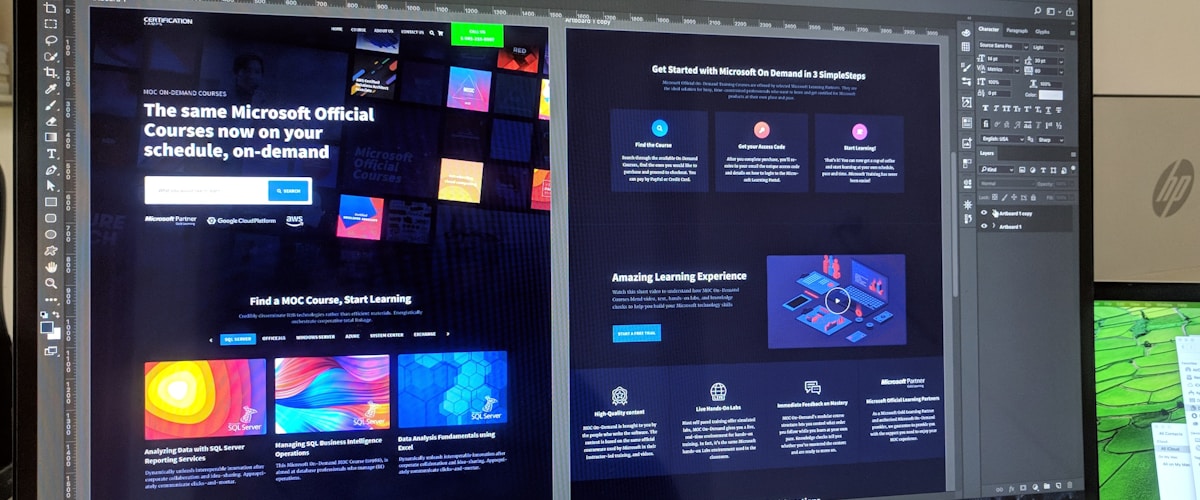
When you design and build mobile-first, you are forced to make hard prioritisation decisions early. What is the single most important action on this screen? What content must be visible without scrolling? What can be deferred, collapsed, or removed? These constraints produce better designs at every viewport, because they force clarity of purpose.
In CSS, this means writing your base styles for small screens and using min-width media queries to add complexity for larger viewports. In your component architecture, it means building components that work in a single-column layout by default and adapt to multi-column layouts when space permits. In your content strategy, it means every piece of content earning its place on the smallest screen before being allowed to appear on larger ones.
Touch-First Interactions
Desktop interfaces rely on hover states, precise cursor positioning, and right-click context menus. None of these exist on touch devices. If your interface requires a hover to reveal navigation, relies on tiny click targets, or uses tooltips as the primary way to communicate information, it is not touch-first.
Touch-first design principles include:
- Minimum touch target size of 44x44 pixels. Apple's Human Interface Guidelines and Google's Material Design both recommend this minimum. Anything smaller leads to frustrating mis-taps, particularly for users with larger fingers or motor impairments.
- Thumb zone awareness. When users hold a phone one-handed, the thumb can comfortably reach roughly the bottom two-thirds of the screen. Critical actions — navigation, primary buttons, frequently used controls — should live in this zone. Content that is read but not interacted with can occupy the top portion.
- Gesture support with visible fallbacks. Swipe gestures for common actions (delete, archive, navigate) improve efficiency for power users, but the same actions must be accessible through visible buttons for discoverability. A swipe-to-delete without a visible delete button is a usability failure.
- No hover dependencies. Every piece of information revealed on hover must also be accessible through tap, long-press, or visible text. This is not just a mobile concern — it is an accessibility requirement.
Progressive enhancement starts with the smallest screen and layers up, never the reverse.
Offline Capabilities and Progressive Web Apps
In South Africa, where mobile connectivity is not guaranteed — particularly during load shedding, in rural areas, or when network congestion peaks — offline capability is not a luxury. It is a competitive advantage.

Progressive Web Apps (PWAs) use service workers to cache assets and data, enabling your application to function without a network connection. The technical implementation ranges from simple (caching static assets so the app shell loads offline) to complex (synchronising offline data changes with the server when connectivity returns).
Practical offline patterns include:
- Cache-first for static assets. CSS, JavaScript, images, and fonts should be served from the service worker cache, with network requests only for updates. This makes subsequent page loads nearly instant regardless of network conditions.
- Network-first with cache fallback for dynamic content. Try the network first, but if it fails, serve the last cached version. Display a subtle indicator that the user is viewing cached data.
- Background sync for form submissions. If a user submits a form while offline, queue the submission and sync when connectivity returns. This prevents data loss and eliminates the "connection error" frustration.
- Offline-aware UI. Show the user their connectivity status. Disable or queue actions that require a network connection rather than letting them fail silently.
At Pepla, we evaluate offline requirements as part of our initial UX research. For applications where users operate in low-connectivity environments — field service apps, logistics, point-of-sale systems — PWA architecture is a default recommendation.
Performance Budgets for Mobile
The average mobile device in South Africa is not the latest flagship. It is a mid-range Android phone with 3-4GB of RAM and a processor that was mid-tier two years ago. Your application needs to be fast on that device, not just on your development MacBook.
A performance budget defines the maximum allowed size and load time for your application. Practical mobile budgets include:
- Total page weight under 500KB for the initial load (compressed). This includes HTML, CSS, JavaScript, and above-the-fold images.
- JavaScript budget under 200KB (compressed). JavaScript is the most expensive asset on mobile because it must be downloaded, parsed, compiled, and executed — all on a constrained CPU.
- Time to Interactive under 5 seconds on a mid-range device over a 4G connection. This is when the page is not only visible but responsive to user interaction.
- First Contentful Paint under 2 seconds. Users need visual feedback that the page is loading within this window, or they will abandon.
Enforcing these budgets requires tooling. Lighthouse CI in your deployment pipeline can fail builds that exceed budget thresholds. Bundle size tracking tools like bundlesize or size-limit can enforce JavaScript budgets as part of your pull request process. The key is making budget violations visible before they reach production.
Set strict performance budgets for mobile -- every extra kilobyte costs real users real seconds.
Mobile Typography
Typography that works on desktop often fails on mobile. Line lengths that are comfortable at 800px become too long on a phone, leading to tracking difficulty. Font sizes that are legible on a large monitor become unreadable on a 5.5-inch screen held at arm's length.
Mobile typography best practices:
- Base font size of 16px minimum. Anything smaller causes readability issues and triggers browser zoom on iOS, which can break layouts.
- Line height of 1.5 to 1.7 for body text. Tighter line spacing makes dense text harder to scan on small screens.
- Line length of 45-75 characters. On mobile, this typically happens naturally due to screen width, but be wary of landscape orientation and tablets where lines can become too long.
- Clear typographic hierarchy. With less screen space, the distinction between headings, subheadings, and body text must be more pronounced. Use size and weight contrast aggressively.
Dark mode is no longer optional -- users expect it, and OLED screens deliver real battery savings with it.
Dark Mode
Dark mode is no longer optional. Both iOS and Android have system-level dark mode settings, and users expect applications to respect their preference. Beyond user expectation, dark mode provides practical benefits on mobile: reduced eye strain in low-light environments, and meaningful battery savings on OLED screens (which are now standard on mid-range and flagship devices).
Implementing dark mode properly requires more than inverting colours. Pure black backgrounds (#000) on OLED screens can cause "smearing" when scrolling — dark grey (#121212 or #1A1A1A) is a better choice. Colour contrast must be verified in both light and dark modes, as colours that meet WCAG AA contrast in light mode may fail in dark mode and vice versa. Images, icons, and illustrations may need dark-mode variants to maintain visual quality.
The CSS approach is straightforward: use prefers-color-scheme: dark media queries and CSS custom properties for all colour values. If you have already implemented design tokens, dark mode becomes a matter of swapping token values rather than rewriting styles.
Mobile-first in 2026 is not a responsive layout technique. It is a design philosophy that treats the mobile context — touch interaction, variable connectivity, constrained performance, diverse environments — as the primary design target. Everything else is progressive enhancement.
Build for the thumb, the mid-range phone, and the patchy connection first. Then layer on the desktop experience. Your users — on every device — will thank you.